FAQ
How do I open an account?
-
Add Your Details
Click on the JOIN button at the top right corner of the page to get started.
Fill in your name, mobile number, email, and choose a secure password.

-
Verify Your Number
After submitting the form, you will be directed to the Phone Verification screen.
An SMS confirmation code will be sent immediately to your registered mobile number.

-
Receive Your Verification Code
Check your mobile phone for an incoming text message containing your unique 6-digit verification code or direct confirmation link.

-
Confirm Your Mobile Number
Enter the 6-digit code on the website and click Verify. (If you did not receive it, click on the link to resend.)
Once confirmed, a "Welcome to JSBSports" message will appear. Click Continue.

-
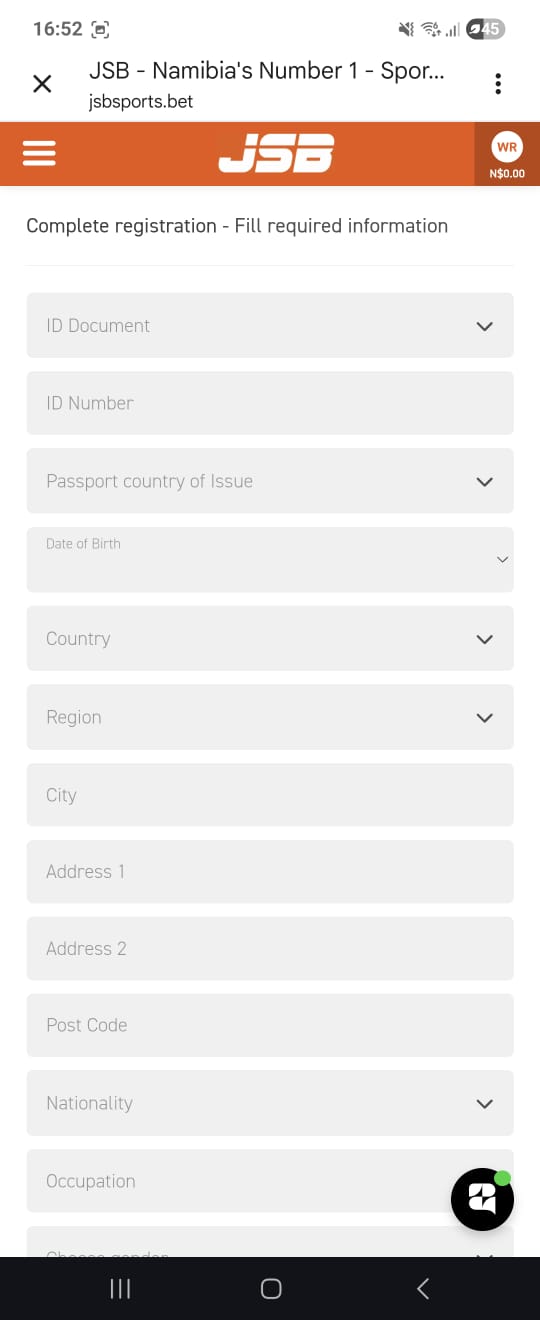
Complete Your Profile Information
Provide the required profile details to finalize your account setup.
This includes selecting your ID document type, entering your ID number, date of birth, and physical address details.
-
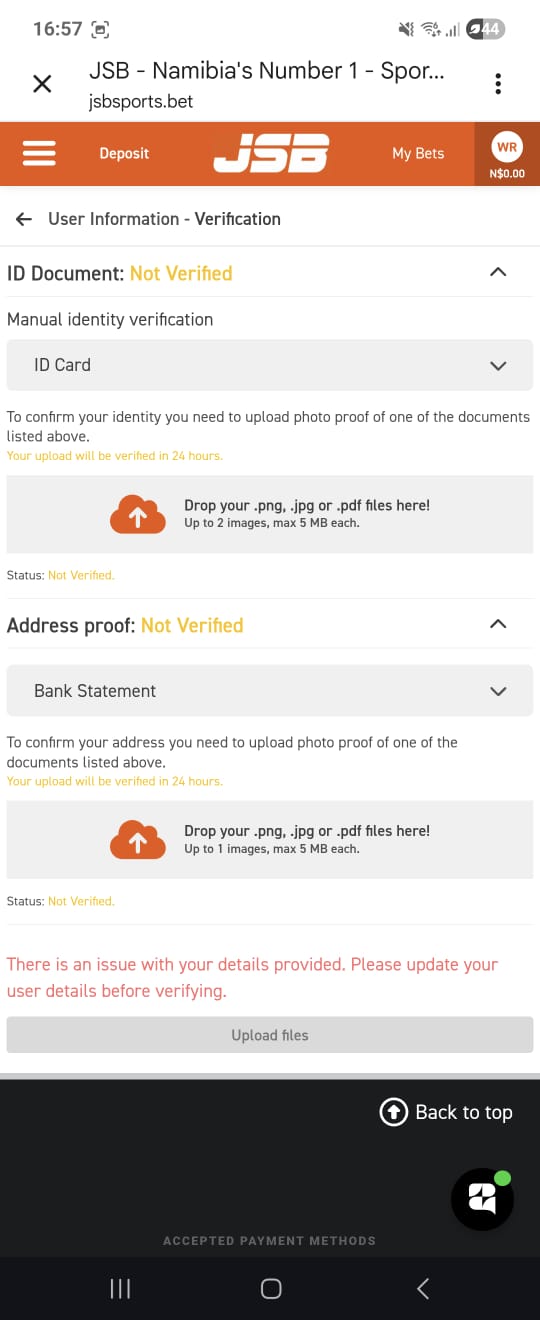
Upload Verification Documents
Securely upload photo proof of your identity (such as an ID Card or Passport) and your address proof (such as a recent Bank Statement).
-
Welcome Confirmation SMS
This message confirms that your N$150 Sign Up Bonus is ready along with your 25 Free Spins link.
Click on the link to claim your 25 free spins.

-
Registration Confirmation
Congratulations! Your account is fully registered and verified.